Resource
Muslim Public Computer Privacy Adab Guide
A practical guide for using library, school and community computers without exposing other people's privacy or leaving your own data behind.
Use case
Library computers, school labs, community kiosks, shared printers, public scanners and browser sessions
Adab focus
No screen peeking, no file opening, full sign-out, careful printing and staff handoff for abandoned items
Best time
Before using a public device, when finding someone logged in and before leaving the station
Boundary
Does not replace cybersecurity policy, school rules, library policy or legal reporting duties
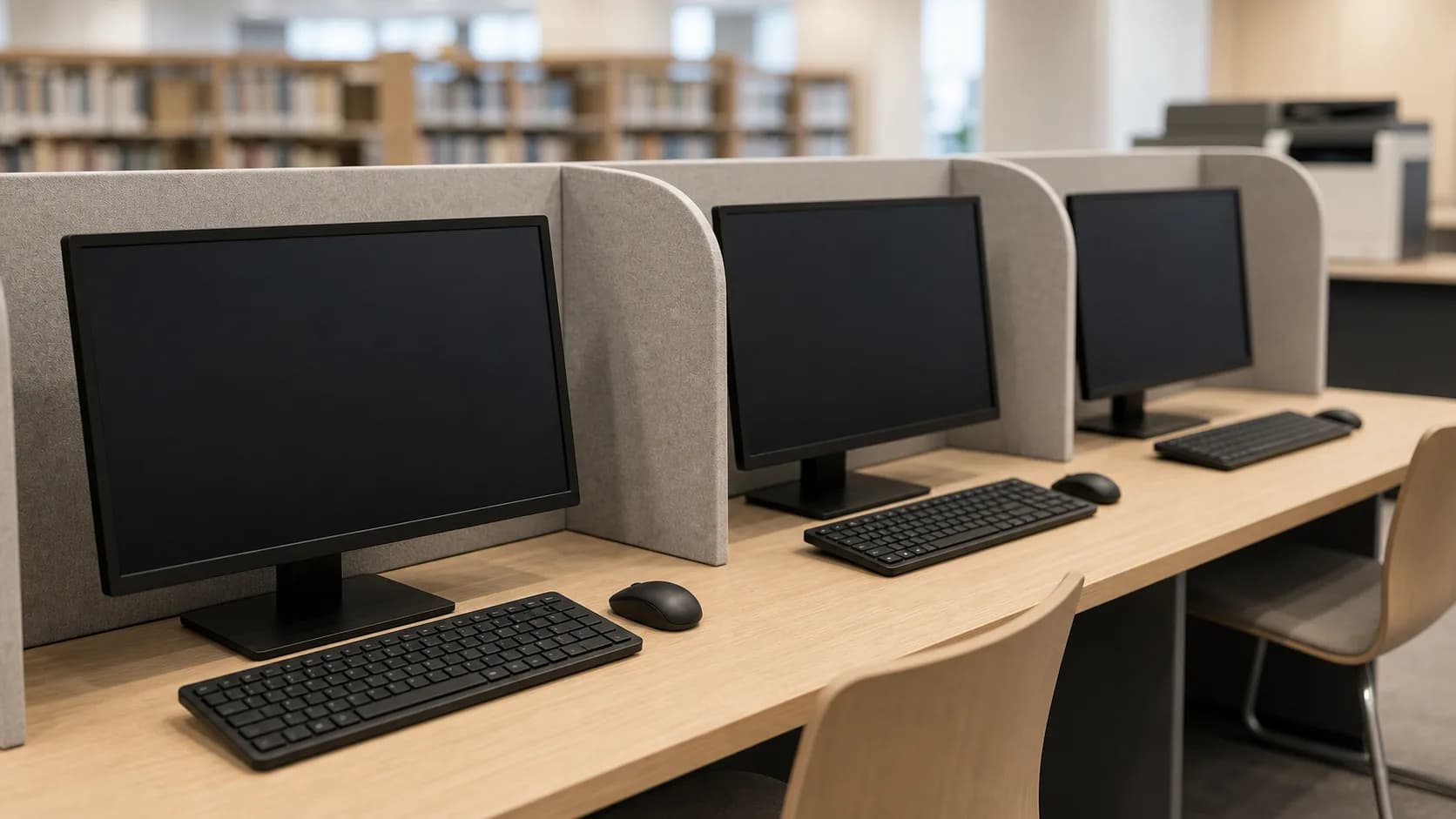
A public computer can look ordinary, but it often carries private traces: open tabs, saved files, login prompts, printer queues and documents left behind. Muslim adab treats every screen and file as a trust until it clearly belongs to you.
The Qur'an teaches lowering the gaze, avoiding suspicion and spying, returning trusts and not speaking without knowledge. In a public computer area this means do not look over shoulders, do not open another person's files, sign out fully and ask staff before touching abandoned documents.
Use this checklist before sitting down, while printing, when a previous user is still logged in and before you leave. It helps protect privacy in a place where many people share the same device.
Public Computer Privacy Adab Checklist
| Moment | Privacy question | Practical action |
|---|---|---|
| Sitting down | Is someone else's session still open? | Do not inspect it. Call staff or use the official sign-out flow if instructed. |
| Nearby screens | Am I looking at what is not mine? | Face your own screen, lower the gaze and give people space at the desk. |
| Printing | Could my document expose private information? | Collect pages immediately, check the tray once and remove only your own papers. |
| Leaving | Have I removed my own traces? | Sign out, close private tabs, delete local downloads if allowed and clear the desk. |
FAQ
What should I do if the previous user forgot to sign out?
Do not browse their account. Ask staff for help or follow the approved sign-out procedure without reading private content.
Can I move papers left on a public printer?
If you must clear the tray, avoid reading the pages and place them where staff can manage them.
Is shoulder surfing really an adab issue?
Yes. Looking at private screens can become spying, embarrassment or misuse of information.
Related reading
- Muslim Personal Data Privacy Amanah Guide
Use when the concern is personal information, files or data sharing.
- Muslim Shared Device Family Privacy Adab Guide
Use when the same privacy question happens on a family or household device.
- Muslim Passport and Travel Document Hub for DS-11 Renewal Child CRBA and Prayer
A Muslim passport and travel document hub for renewals, child passports, DS-11, DS-3053, DS-64, DS-5504, DS-86, CRBA context, travel privacy and prayer planning.
Connected by privacy.
- Muslim N-600 Certificate of Citizenship Checklist for Parents Birth Passport and Prayer
A practical Muslim N-600 certificate of citizenship checklist covering parent citizenship, birth records, passport evidence, custody or residence records, translations, privacy and prayer timing.
Connected by privacy.
- Muslim I-601A Provisional Waiver Checklist for Unlawful Presence Hardship and Prayer
A practical Muslim I-601A provisional waiver checklist covering USCIS form file, unlawful presence issue, hardship evidence, NVC timing, privacy and prayer scheduling.
Connected by privacy.
- Muslim N-336 Naturalization Hearing Checklist for Denial Notice Evidence and Prayer
A practical Muslim N-336 naturalization hearing checklist covering denial notice, evidence, civics study, interpreter question, copies, privacy and prayer timing.
Connected by privacy.
- Muslim I-824 Action on Approved Application Checklist for Notice NVC Family and Prayer
A practical Muslim I-824 action on approved application checklist covering approval notice, NVC follow-up, family file, address updates, copies, privacy and prayer timing.
Connected by privacy.
- Muslim Home Inventory and Insurance Claim Checklist for Photos Receipts and Prayer
A practical Muslim home inventory and insurance claim checklist covering photos, receipts, policy numbers, emergency documents, FEMA inspection notes, claim payments, prayer and privacy.
Connected by privacy.
Languages
- دليل آداب العام computer الخصوصية الأدب
- গাইড: গোপনীয়তা adab
- Guia de privacitat adab
- Průvodce: soukromí adab
- Guide til privatliv adab
- Leitfaden zu Datenschutz adab
- Οδηγός για ιδιωτικότητα adab
- Muslim Public Computer Privacy Adab Guide
- Guía de espacio público privacidad adab
- Opas: yksityisyys adab
- Guide de confidentialité adab
- Panduan privasi adab
- Guida a privacy adab
- ガイド: プライバシー adab
- 가이드: 개인정보 adab
- Panduan privasi adab
- Gids voor privacy adab
- Veiledning om personvern adab
- Przewodnik po prywatność adab
- Guia de espaço público privacidade adab
- Руководство по теме общественное пространство приватность adab
- Sprievodca: súkromie adab
- Guide till integritet adab
- คู่มือ ความเป็นส่วนตัว adab
- Rehber: mahremiyet adab
- مۇسۇلمان ئاممىۋى كومپيۇتېر مەخپىيەتلىك Adab قوللانمىسى
- Hướng dẫn về quyền riêng tư adab
- 穆斯林公共电脑隐私 Adab 指南
- 指南: 私隱 adab
- 指南: 隱私 adab